Guide · By PostBoost team · · Markdown
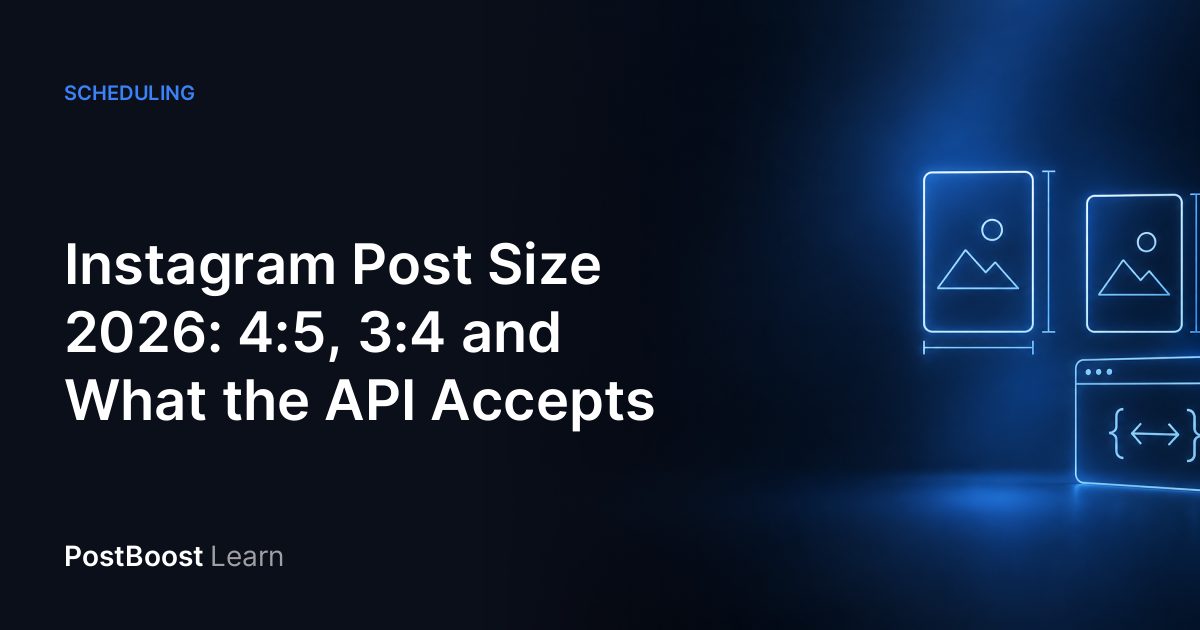
Short answer: make Instagram feed posts 1080×1350 pixels (4:5 portrait). The Instagram app also takes a taller 3:4 photo (1080×1440), but Instagram's publishing API only accepts shapes from 4:5 to 1.91:1, so a scheduled 3:4 image fails. 4:5 works everywhere. Phone photos come out of the camera at 3:4, so crop them to 4:5 in the free image resizer before you post or schedule.
Instagram post sizes at a glance
| Post | Size (px) | Ratio | Works through the API? |
|---|---|---|---|
| Portrait (use this) | 1080×1350 | 4:5 | Yes |
| Square | 1080×1080 | 1:1 | Yes |
| Landscape | 1080×566 | 1.91:1 | Yes |
| Tall portrait | 1080×1440 | 3:4 | No, app only |
| Story | 1080×1920 | 9:16 | Yes |
| Reel cover | 420×654 | about 1:1.55 | Yes, as the Reel's cover |
The feed sizes come from Instagram's help page, which accepts photos 320 to 1080 pixels wide "as long as the photo's aspect ratio is between 1.91:1 and 3:4"; at 1080 wide that is any height from 566 to 1440. Anything outside the range is cropped to fit. The 1080×1350 and 1080×1080 pixel sizes are what Sprout Social's image size guide recommends; the full table, every row with its source, is on the social media image sizes page.
Why 4:5 and not 3:4
The app and the API disagree. Instagram's developer documentation says a feed image "must be within a 4:5 to 1.91:1 range". Every scheduler, PostBoost included, publishes through that API. Send a 3:4 image and Instagram refuses it with error 36003: "The submitted image with aspect ratio … cannot be published."
So the extra height of 3:4 is only available if you post by hand from your phone. If you schedule, or you just want one file that works everywhere, use 4:5. The difference is small: a 4:5 image is 90 pixels shorter than a 3:4 one at 1080 wide.
The API has three more rules the app does not show you:
- JPEG only. The content publishing guide says "JPEG is the only image format supported."
- 8 MB per image, sRGB colour (other colour spaces are converted).
- 320 to 1440 pixels wide. Narrower images are scaled up, wider ones down.
PostBoost handles the format part for you: when you upload a PNG or JPEG photo to the media library, it scales anything wider than 1080 pixels down to 1080 and saves it as a JPEG, keeping its shape. It does not crop, so the shape is still up to you.
How to crop a phone photo to 4:5
By default most phone cameras shoot 4:3, which is 3:4 held upright: a 12-megapixel iPhone photo is 3024×4032. To make it 4:5, keep the full width and cut the height to 3780 pixels, which takes 126 pixels off the top and the bottom.
- Open the social media image sizes page and pick your photo under Image. It stays in your browser; nothing is uploaded.
- Under Resize for, keep "Instagram: Feed portrait (1080×1350)". It is the default target.
- Drag the photo to choose which part stays inside the crop. Check that nothing important sits in the top or bottom strip.
- Choose JPEG under Format and click Download.
The same steps make a square (a 3024×4032 photo loses 504 pixels top and bottom) or a 1.91:1 landscape version. To check how the finished image looks next to your caption, the post preview shows the Instagram card at 1:1, 4:5 or 1.91:1 with the caption cut at the "more" fold.
How the profile grid crops your post
The profile grid used to show every post as a square. Instagram tested taller tiles in August 2024, when Adam Mosseri called cropping vertical photos to squares "pretty brutal" (Engadget), and since early 2025 the grid shows posts as 3:4 rectangles. Instagram has no help page with the grid size. Sprout Social's guide says the grid "always displays at 3:4", 1012×1350 pixels, and Planoly's gives 1013×1350: 1350 × 3 ÷ 4 is 1012.5, so the two round differently.
A 4:5 post is a little wider than a 3:4 tile, so the grid trims its sides. For a 1080×1350 image the tile keeps roughly the centre 1012 pixels, so about 33 go on each side. The post itself still shows in full when someone opens it.
What to do about it: keep text, logos and faces away from the left and right edges, about 3% of the width. A square post loses more: in a 3:4 tile, a 1080×1080 image keeps only the centre 810 pixels.
Carousels: up to 20 in the app, 10 when scheduled
Instagram raised the carousel limit to 20 photos or videos in August 2024 (Social Media Today). The API did not follow: its documentation still says "Carousels are limited to 10 images, videos, or a mix of the two", and PostBoost allows up to 10 photos in an Instagram post.
Shape matters more in a carousel. Meta's publishing guide says: "Carousel images are all cropped based on the first image in the carousel, with the default being a 1:1 aspect ratio." If slide 1 is 4:5 and slide 3 is a landscape photo, slide 3 gets cropped hard. Export every slide at the same size, 1080×1350, before you build the carousel.
Image size from code or an AI assistant
The crop maths behind the resizer is a free API and MCP tool too, so a script can work out the crop box before it touches an image. No account or token is needed:
curl -X POST https://postboost.co/app/api/tools/social-media-image-sizes/crop \
  -H 'Content-Type: application/json' \
  -d '{"width":3024,"height":4032,"network":"instagram","format":"feed-portrait"}'
For that phone photo the response says to keep crop {"x":0,"y":126,"width":3024,"height":3780} and scale it to the output of 1080×1350, with upscaled false. Pass "fit":"contain" instead to keep the whole photo and pad it. In an AI assistant connected to PostBoost's free tools MCP server (https://postboost.co/mcp/tools), the tool is calculate-crop. Fields and SDK examples are in the crop API docs, and the aspect ratio calculator answers the reverse question: which networks a given size fits.
Schedule the post in PostBoost
Create a post, select your Instagram account and choose Post (the other options are Reel and Story). Add your 4:5 images and the caption, and check the Instagram preview. If the same post also goes to LinkedIn or X, which show landscape images better, use + to create a version for that network and attach a different crop there. Instagram allows 5 hashtags per post now; the hashtag limit guide has the details, and the post checker tests the caption, hashtags and media count in your browser before you schedule. New to PostBoost? Create a free account.
Do this in PostBoost
Free tools for this guide
Free tool
Social media image sizes, with a free resizer
Image sizes for Instagram, Facebook, LinkedIn, X, TikTok, YouTube, Pinterest and more, each with its source. Crop and resize your image in the browser.
Free tool
Social media post preview
Preview a post on Instagram, X, LinkedIn and Facebook: see where the caption folds, how the image crops and if the text is too long. Free, in your browser.
Free tool
Aspect ratio calculator
Find the aspect ratio of any image size, or the missing width or height at 16:9, 4:5 or 1.91:1, and see which social media sizes match. Free tool.
FAQ
What is the best Instagram post size in 2026?
1080×1350 pixels (4:5 portrait). It is the tallest shape Instagram's publishing API accepts, so it works in the app and in every scheduling tool, and it fills more of the feed than a square.
Can I post a 3:4 photo on Instagram?
Yes, in the Instagram app: its help page accepts photos from 1.91:1 to 3:4, which is 1080×1440 at full width. A scheduler can't publish it, because the API accepts only 4:5 to 1.91:1 and returns an aspect-ratio error for anything taller.
What size is the Instagram profile grid?
Since early 2025 the grid shows posts as 3:4 rectangles instead of squares, about 1012×1350 pixels, according to Sprout Social's and Planoly's guides (Instagram has no help page with the number). A 4:5 post loses a thin strip at the left and right edges in the grid: about 33 pixels on each side of a 1080×1350 image.
How many photos can an Instagram carousel have?
Up to 20 photos or videos in the Instagram app since August 2024. Through the publishing API, and so in PostBoost and other schedulers, a carousel takes up to 10, and every item is cropped to the shape of the first one.
Does Instagram reduce image quality?
Instagram stores feed photos at most 1080 pixels wide and scales larger ones down, so exporting wider adds file size, not detail. Narrower than 320 pixels is scaled up and looks soft. Export at 1080 wide.
What size is an Instagram story or Reel?
1080×1920 (9:16) for both. Instagram's API documentation recommends 9:16 for stories to avoid cropping or blank space. For a Reel cover, Instagram's help page gives 420×654 (about 1:1.55).
Sources
- Instagram Help: Instagram photo sizes and aspect ratios
- Meta for Developers: Instagram Graph API, IG User Media (image specifications)
- Meta for Developers: Instagram content publishing (carousels, JPEG only)
- Meta for Developers: Instagram Graph API error codes (36003, aspect ratio)
- Social Media Today: Instagram expands carousels to 20 frames (8 August 2024)
- Engadget: Instagram's experimental profile grid has rectangular images (17 August 2024)
- Planoly: A complete guide to Instagram's new vertical grid (updated 31 October 2025)
- Sprout Social: Social media image sizes guide (updated 15 October 2026)
- Instagram Help: Reel cover image size
- PostBoost docs: crop calculator API (calculateCrop)